

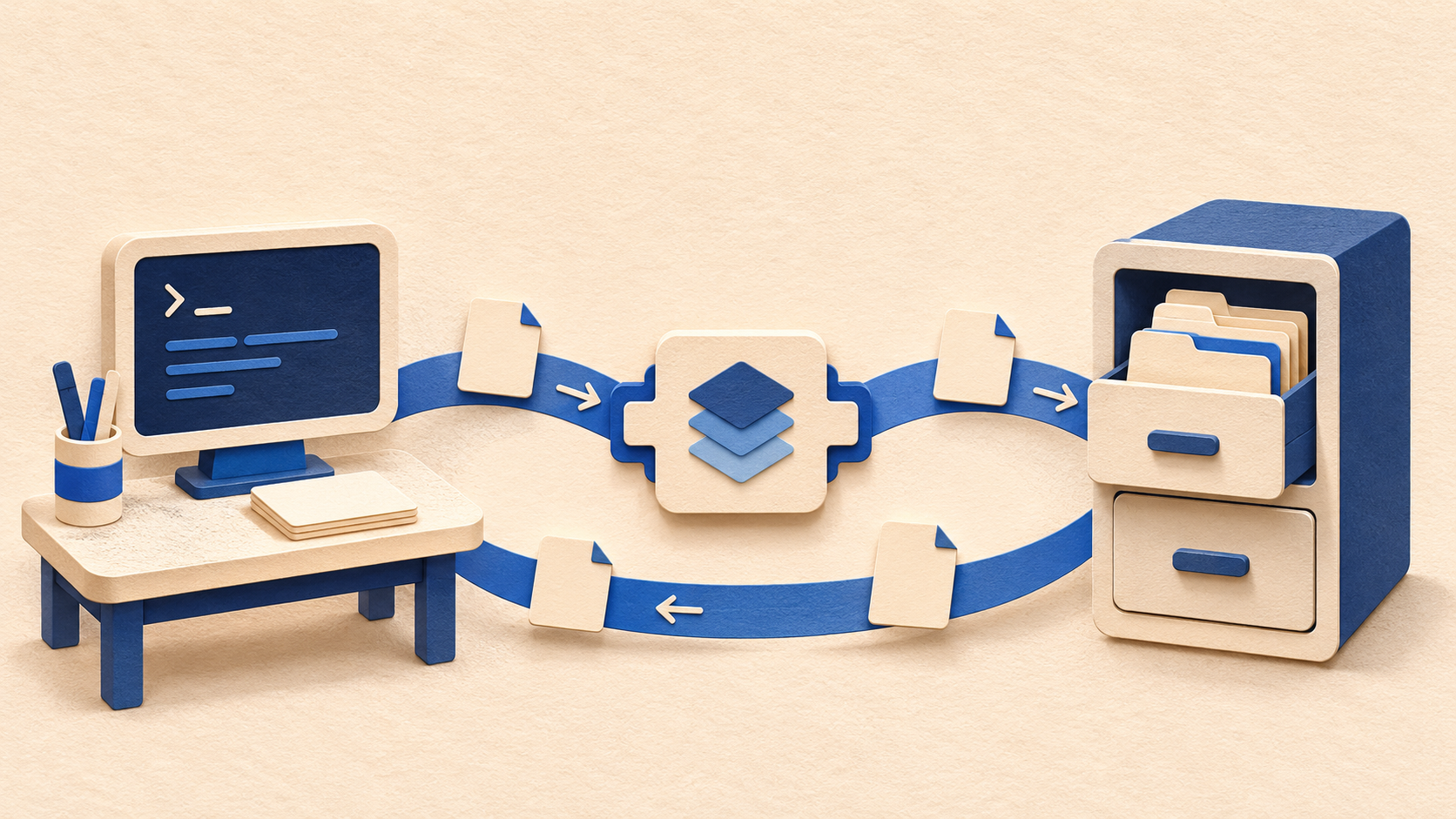
On August 13, 2026, DeepSeek open-sourced the developer preview of DeepSeek Harness. One of its most interesting design choices is the plugin system built on Cordis: models, tools, sessions, sandboxes, storage, loops, scheduling, and UI can all be composed as plugins without modifying the Harness core.
That design is a natural fit for PowerContext. PowerContext already keeps project Memory, Experience, Skill, and Handoff in an independent Server. DeepSeek Harness only needs a thin adapter that connects Cordis lifecycle events, tools, and commands to the PowerContext HTTP API.
The following examples use the standalone powercontext-dsh v0.0.2 plugin to explain its Cordis integration.
DeepSeek Harness and Cordis
The shortest way to start the DeepSeek Harness Web UI is:
npx @deepseek-ai/dsh webThe default URL is http://127.0.0.1:3080. You can also run it from source:
git clone https://github.com/deepseek-ai/deepseek-harness.git
cd deepseek-harness
pnpm install
pnpm run build
pnpm dsh web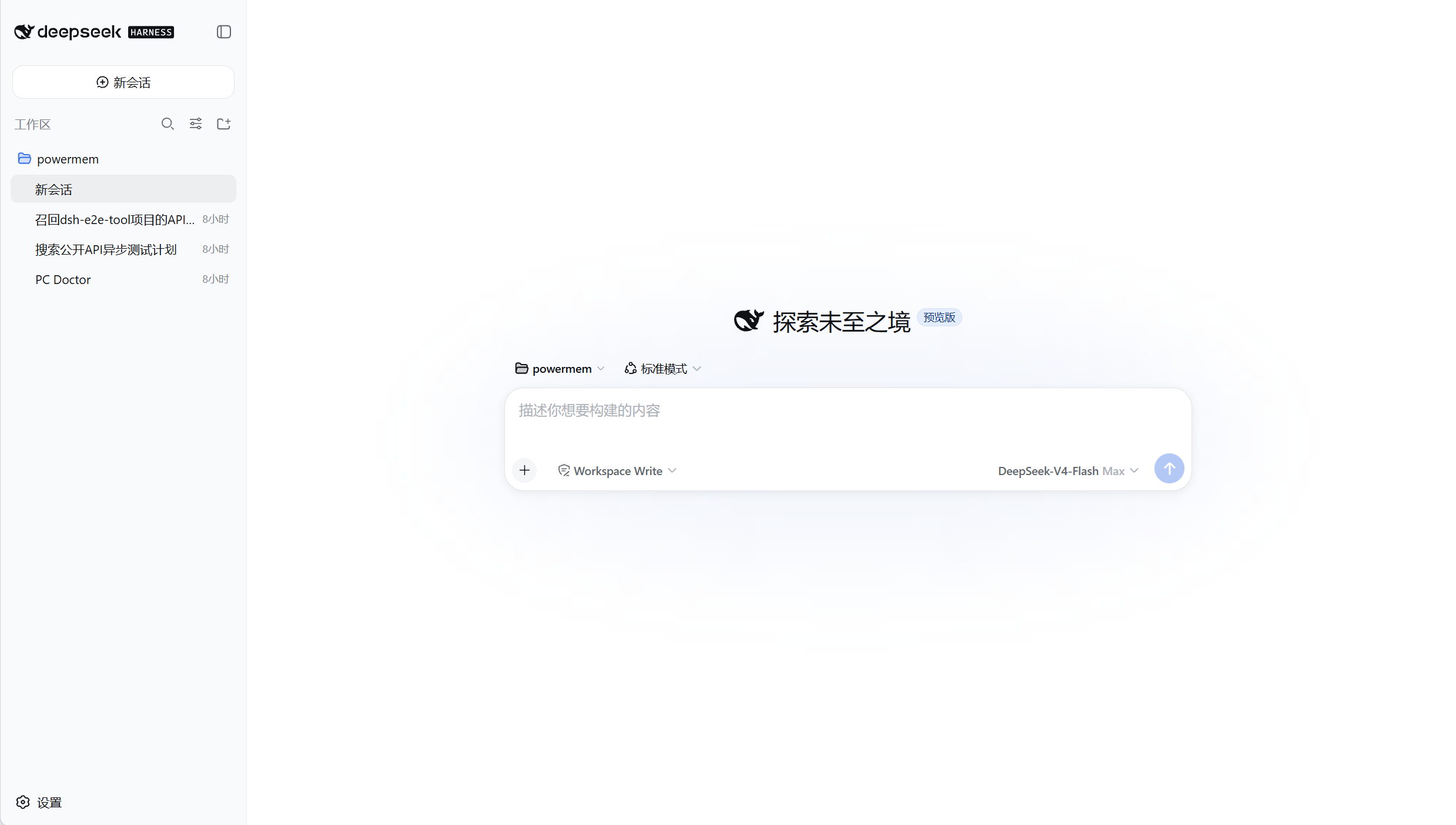
Original product screenshot; interface and example conversation retain their source language.
Cordis organizes the Harness around a composable configuration tree rather than capabilities embedded permanently in the main program. Tools, commands, events, and services registered by a plugin are reversible effects; removing the plugin removes those capabilities from the runtime as well.
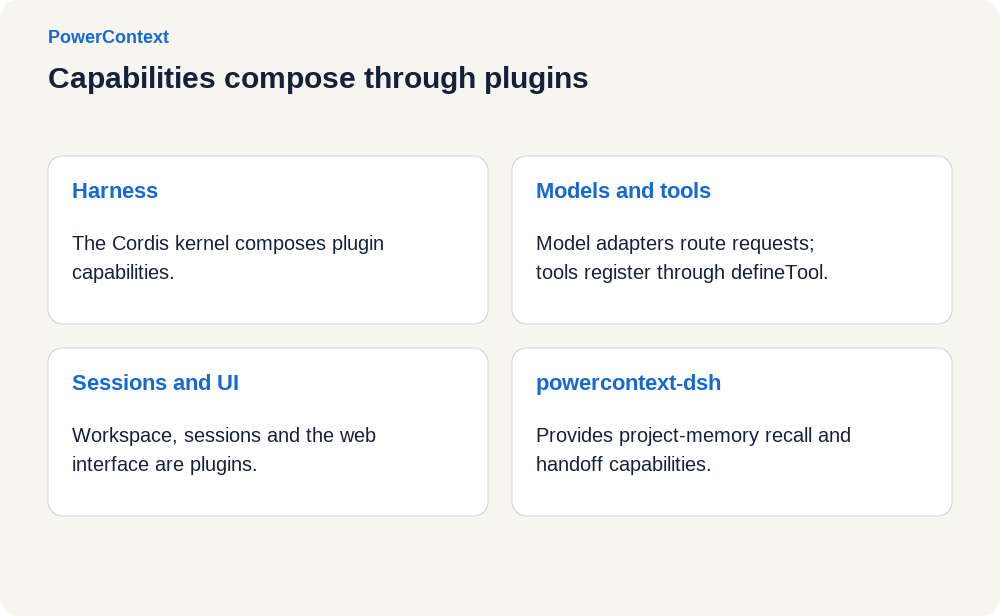
Two DeepSeek Harness concepts are important here:
- A bundle is a distributable plugin package. Its
dsh.bundledeclaration andcordis.patch.ymldescribe how it enters the configuration tree. - A profile is the user's runtime recipe under
$DSH_HOME/profiles/<name>. It selects the bundles to combine for a particular launch.
Think of bundles as building blocks and a profile as the assembly instructions. dsh plugin --profile web add <pkg>
installs a bundle into the web profile; it does not copy plugin code into the DeepSeek Harness repository.
Why use two processes?
There are two backend processes; the browser is a client of the Harness UI:
- DeepSeek Harness manages sessions and the agent loop. The PowerContext DSH plugin runs inside this process and
registers hooks,
pc_*tools,/pccommands, and usage guidance. - PowerContext Server is an independent Python process. It listens on
http://127.0.0.1:8000by default and owns persistence, retrieval, review, and Handoff.
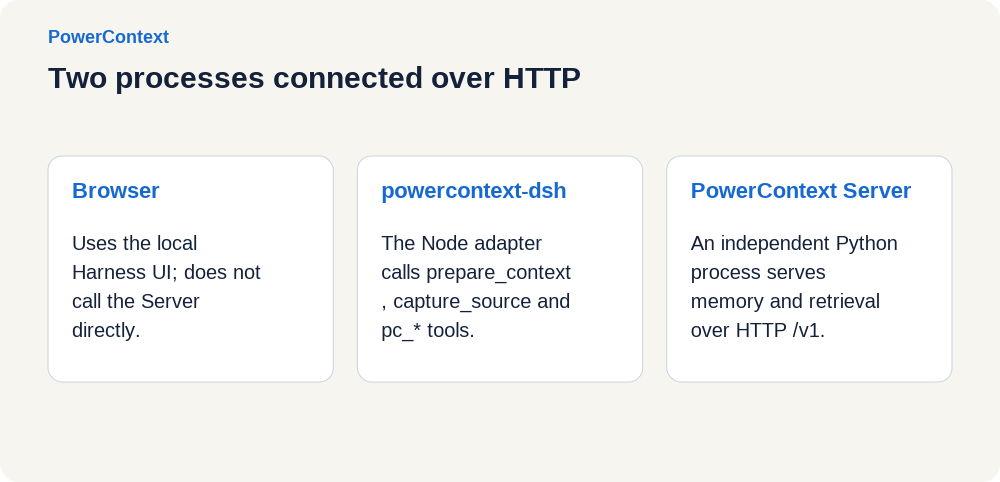
The browser never connects directly to PowerContext Server. The Harness plugin makes the HTTP calls, so the local Web
UI does not need an additional CORS path. The required network path is from the machine running dsh web to the Server.
This boundary also allows both sides to evolve independently. The plugin neither reimplements storage nor embeds the Python runtime; it depends only on PowerContext's public HTTP contract.
Connecting the plugin to Cordis
A minimal bundle needs an entry point, package.json, and cordis.patch.yml. A production plugin should also follow a
few rules:
| Rule | Purpose |
|---|---|
| Use named exports for function plugins | Export name, inject, Config, and apply; do not mix in a default export |
Declare only hard dependencies in inject | Resolve optional services through ctx.get(name) so their absence does not block loading |
Use Standard Schema for Config | Allow Cordis to populate defaults and validate configuration |
Register model tools through defineTool | Give inputs and outputs stable schemas |
Ship a built lib/ directory | Profiles do not compile TypeScript for external bundles |
The entry point loads peer modules from the Harness installation before registering tools and recall hooks, so the external plugin can resolve those dependencies:
export const name = 'powercontext-dsh'
export const inject = ['tools', 'agents']

export async function apply(ctx: Context, config: Config): Promise<void> {
  const toolsMod = await loadPeer<{ defineTool: DefineTool }>('@deepseek-ai/dsh-tools')
  const llmMod = await loadPeer<{ createUserMessage: CreateUserMessage }>('@deepseek-ai/dsh-llm')
  const runtime = createRuntime(ctx, config)
  registerGuidance(ctx)
  registerTools(ctx, runtime, toolsMod.defineTool)
  registerRecall(ctx, runtime, llmMod.createUserMessage)
  registerCommands(ctx, runtime)
  registerSkill(ctx)
}
Its default patch inserts the plugin into the configuration tree and connects to the local Server:
- insert:
    - id: powercontext-dsh
      name: powercontext-dsh
      config:
        baseUrl: http://127.0.0.1:8000
        timeoutMs: 4000
        requestTimeoutMs: 1000
        maxBytes: 8000
        capturePrompts: true
        flushOnCapture: false
Do not put credentials in the patch. --dump-config prints the complete merged configuration tree, so secrets belong
in environment variables.
Four layers of capability exposure
Registering every PowerContext operation as a model tool would flood the tool table with low-frequency operations. The plugin instead covers the complete API through four layers:
| Layer | Caller | Purpose |
|---|---|---|
| HTTP Client | Plugin internals | Covers the complete public API |
| Automatic hooks | Agent loop | Prepare context and capture Source before each model step |
Named pc_* tools | Model | Common Memory, Handoff, Source, Experience, and Skill paths |
/pc and generic calls | Human and model | Diagnostics, review, and less common operations |
Common named tools include:
- Memory:
pc_search,pc_remember,pc_memory_get,pc_memory_revise, andpc_memory_retire; - Context:
pc_prepare_contextandpc_capture_source; - Handoff:
pc_handoff_activate,pc_handoff_prepare,pc_handoff_finalize,pc_handoff_commit, andpc_handoff_continue; - Experience and Skill:
pc_experience_generate,pc_experience_get,pc_skill_generate, andpc_skill_get; - Review:
pc_review_listandpc_review_get.
The operation table used by the tools and generic call path comes from openapi/powercontext.yaml. The runtime does not
read PowerContext's Python source.
Recall first, then capture
Before each model step, the plugin performs two operations through the agent/pre-step hook:
- Call
prepare_contextto obtain relevant, size-bounded project context and inject it as reference material. - Call
capture_content_sourceto preserve the step's text input as raw Source evidence.
Capturing Source is not the same as extracting Memory. Explicit Memory writes do not require a generation model. A generation model is still required when the Server should extract Memory automatically from captured Sources.
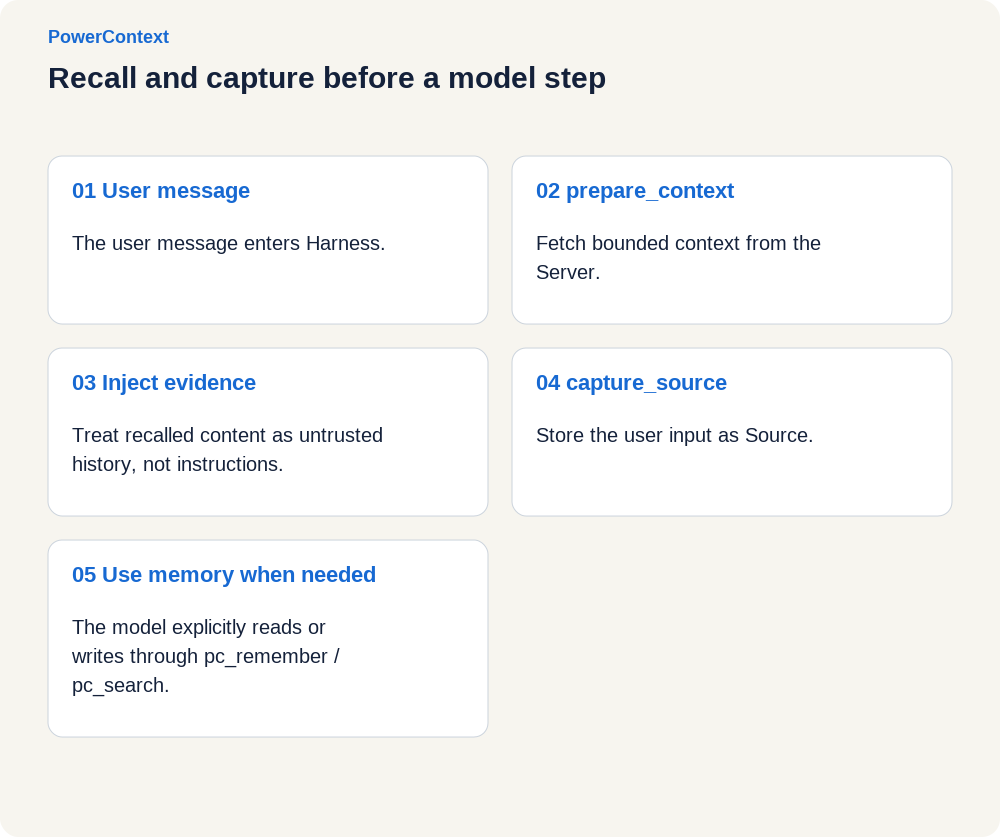
Recall and capture fail open: a stopped Server or timeout does not interrupt the conversation. Project isolation uses
the normalized workspace Git remote when available and the workspace path otherwise. Set a stable override with
POWERCONTEXT_DSH_SCOPE_ID when required.
Install and verify
The early standalone plugin described here requires a PowerContext Server with a matching HTTP contract. For installation and configuration of the current version, see the DeepSeek Harness integration guide.
Start a configured Server:
powercontext server runCheck it from another terminal:
curl http://127.0.0.1:8000/health/live
curl http://127.0.0.1:8000/health/ready
Create the DeepSeek Harness web profile, then load the matching standalone plugin release:
dsh plugin --profile web add ./powercontext-dsh-0.0.2.tgzAn existing checkout of that plugin version can also be loaded directly:
dsh plugin --profile web add /path/to/powercontext-dshStart DeepSeek Harness:
dsh webUse dump-config to confirm that the tree contains id: powercontext-dsh:
dsh --profile web --dump-config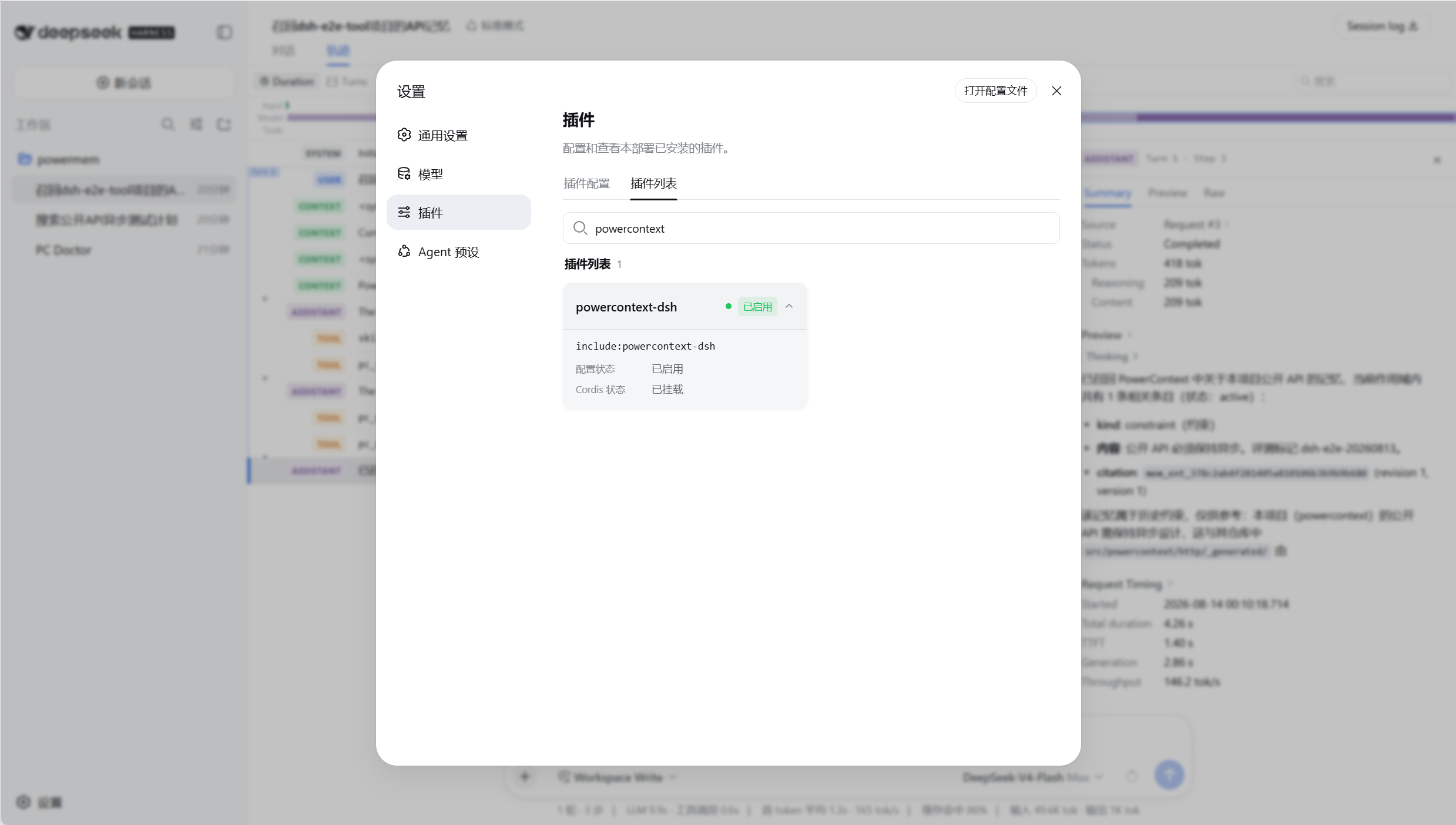
Original product screenshot; interface and example conversation retain their source language.
Enter /pc in the Web UI to list commands or /pc doctor to check Server connectivity. Once loaded, the plugin recalls
context and captures user input automatically. The agent invokes the corresponding pc_* tools for explicit Memory or
Handoff operations.
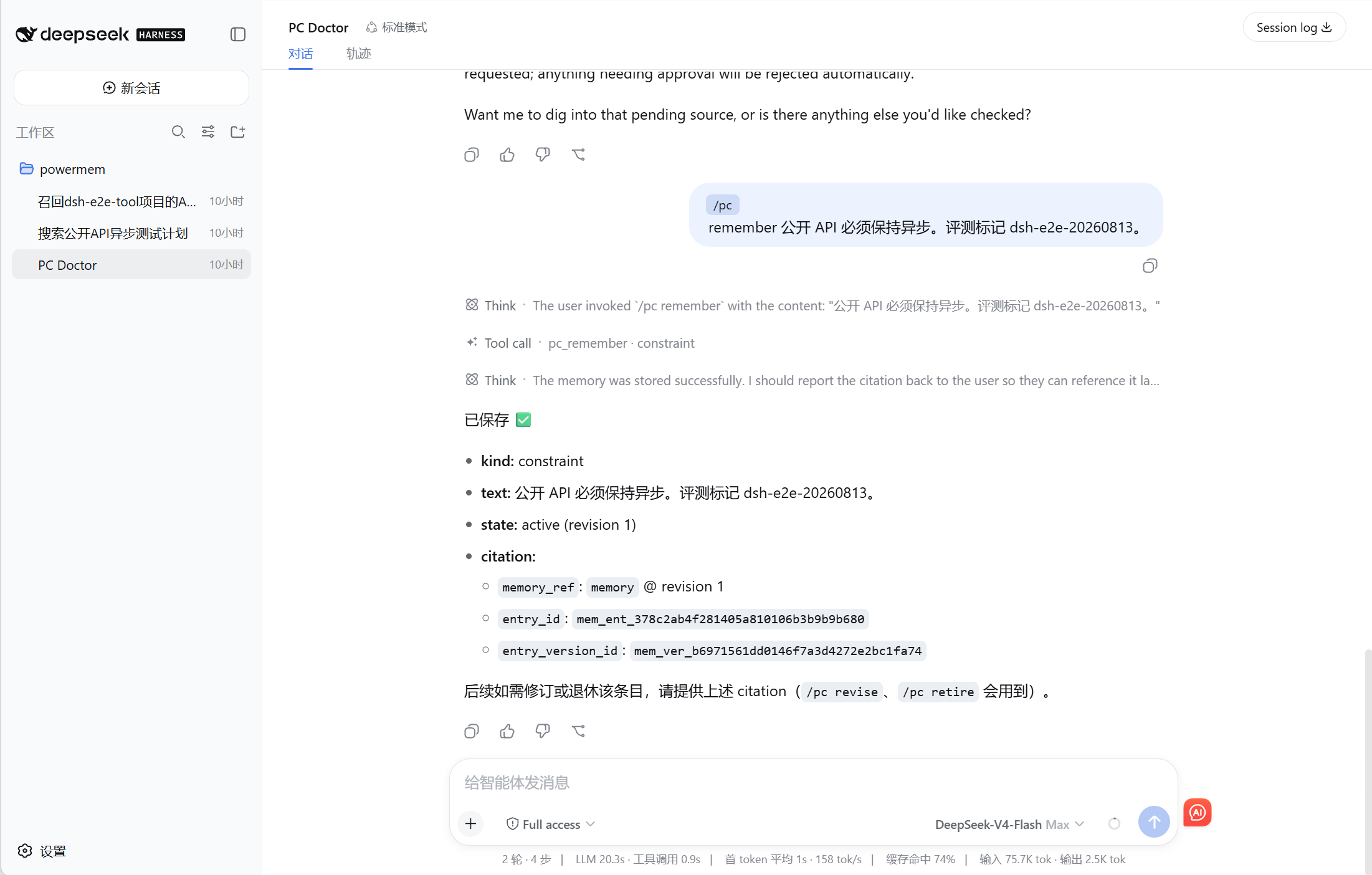
Original product screenshot; interface and example conversation retain their source language.
Remote Server and privacy controls
For a remote deployment, provide the URL and complete Authorization header through environment variables:
export POWERCONTEXT_DSH_BASE_URL=https://pc.example.com
export POWERCONTEXT_DSH_AUTHORIZATION="Bearer <long-random-secret>"
dsh web
The main settings are:
| Field | Environment variable | Default | Meaning |
|---|---|---|---|
baseUrl | POWERCONTEXT_DSH_BASE_URL | http://127.0.0.1:8000 | Server root URL |
authorization | POWERCONTEXT_DSH_AUTHORIZATION | empty | Complete Bearer <token> value |
scopeId | POWERCONTEXT_DSH_SCOPE_ID | inferred | Override the project scope |
timeoutMs | — | 4000 | Shared automatic recall and capture budget |
requestTimeoutMs | — | 1000 | Per-request HTTP timeout |
maxBytes | — | 8000 | Prepared-context size budget |
capturePrompts | POWERCONTEXT_DSH_CAPTURE_PROMPTS | true | Capture user prompts as Source |
flushOnCapture | POWERCONTEXT_DSH_FLUSH_ON_CAPTURE | false | Flush immediately after capture |
Disable prompt capture before starting the Harness when the current work must not be persisted:
export POWERCONTEXT_DSH_CAPTURE_PROMPTS=false
dsh web
Never put credentials in prompts, Memory, patches, or configuration that --dump-config can print.
Conclusion
DeepSeek Harness determines how a model acts in its environment. PowerContext preserves project context across sessions and agents. Cordis lets the two systems combine as an installable, replaceable, and removable layer. The memory system and coding agent can therefore evolve independently instead of becoming one monolithic runtime.
Related projects: